How to Run Reports in OrderCounter (Back Office)
Reporting in OrderCounter
We'll start in your back office main menu. From here, click 'Data Mining'.
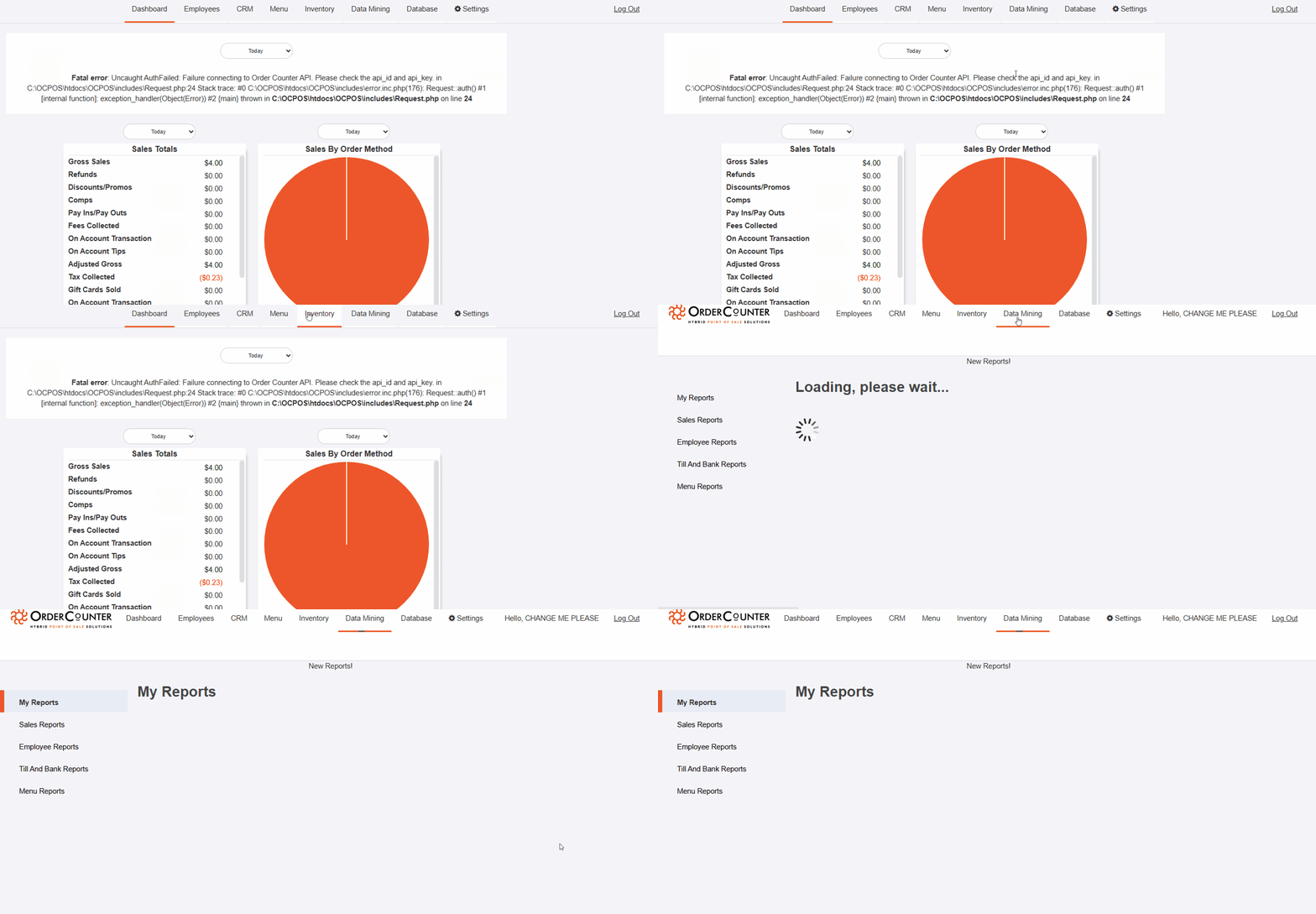
We'll start in your back office main menu. From here, click 'Data Mining'.
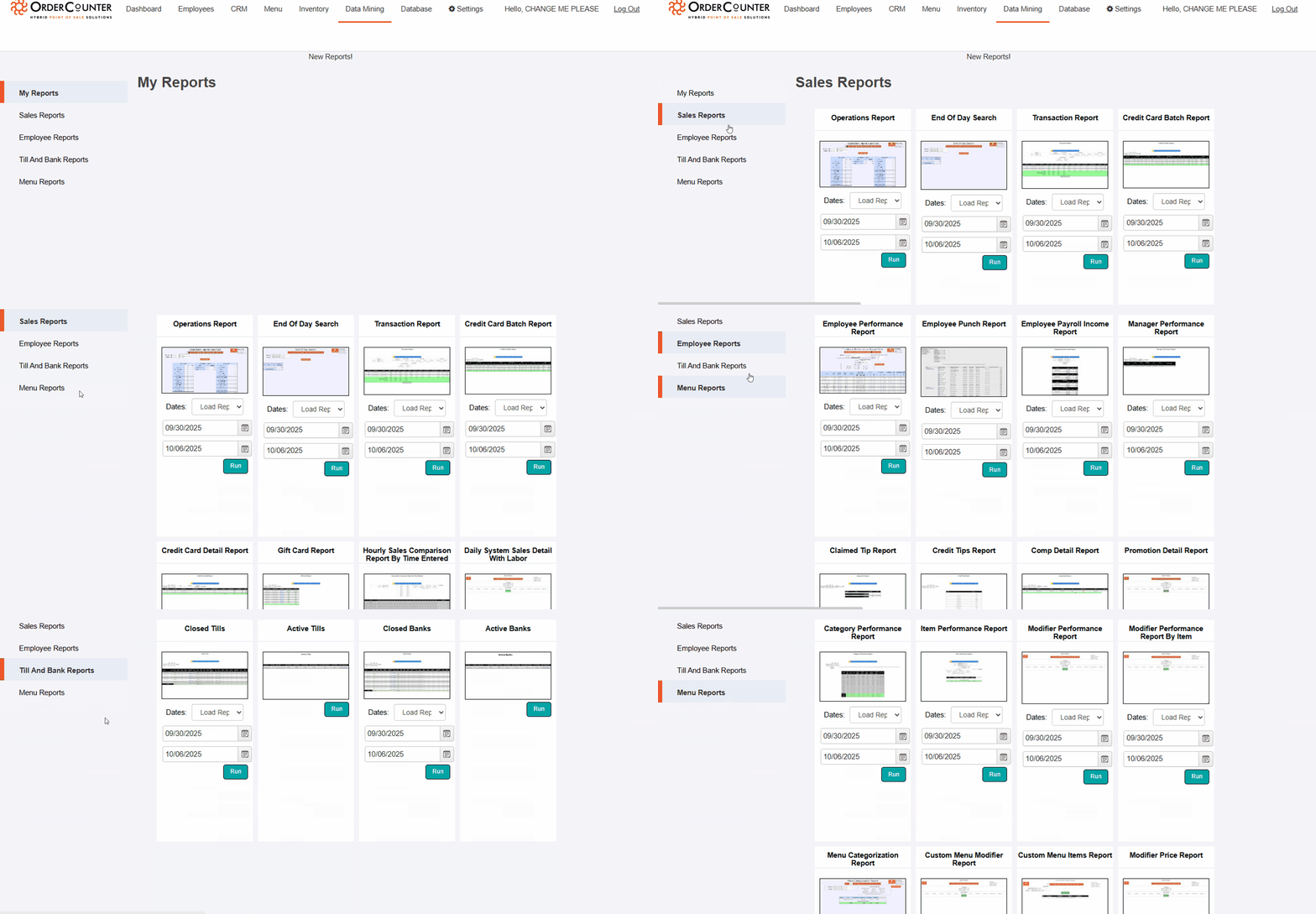
From here, you can select a variety of reports. Find your desired report and choose your date range. From here, click 'Run.'
Once you click 'Run', set your date range again, then click 'Refresh Report'.
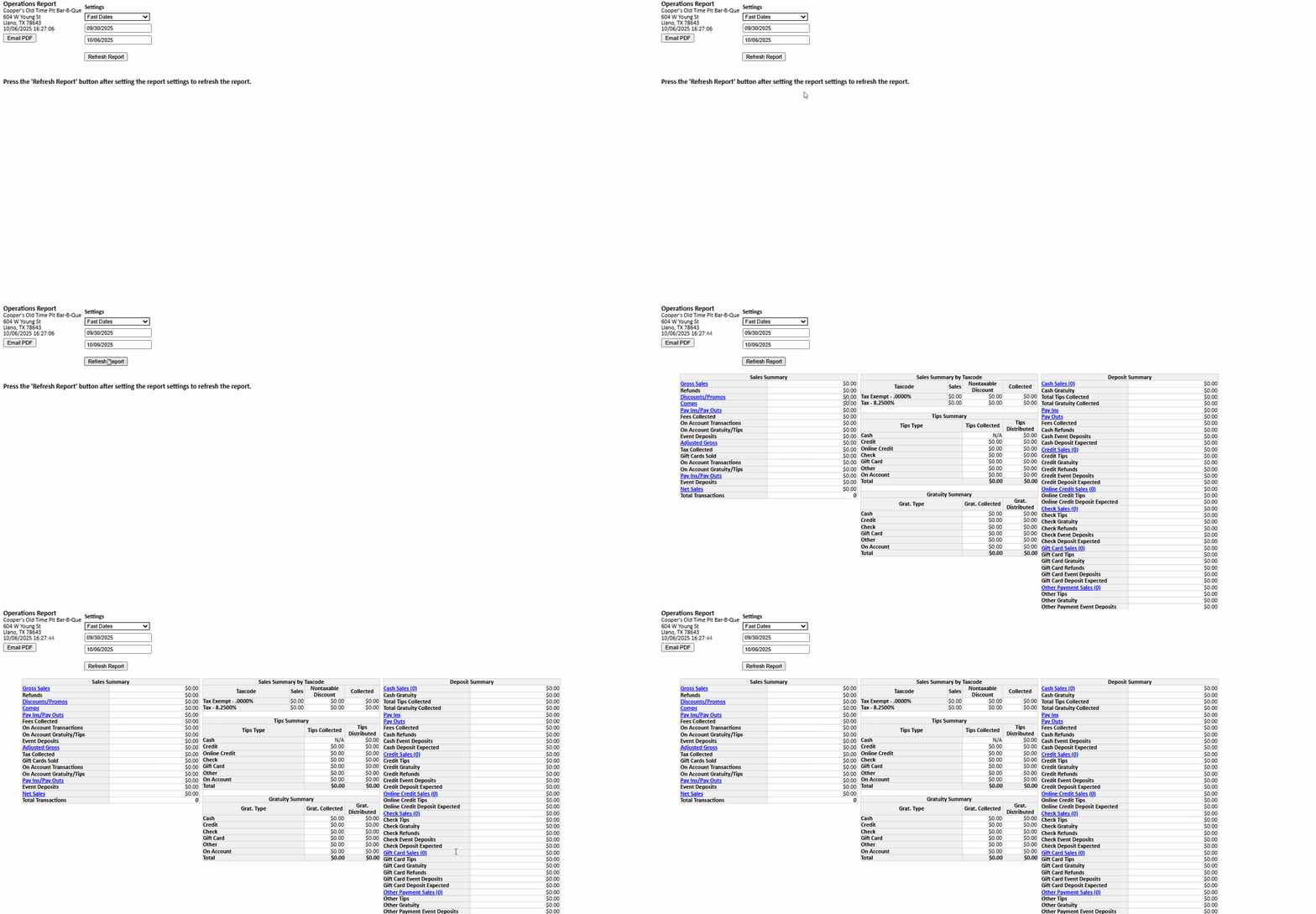
Once you click 'Run', set your date range again, then click 'Refresh Report'.
And that's it! For any questions, call or text our support line @ 7759845702.