Payroll Reports (EdgeServPOS Back Office)
Payroll Reports
This guide will assume you have been provided your EdgeServPOS Back Office web address has been provided to you by your technician/rep. If it hasn't, please contact our support line @ 775-984-5702.
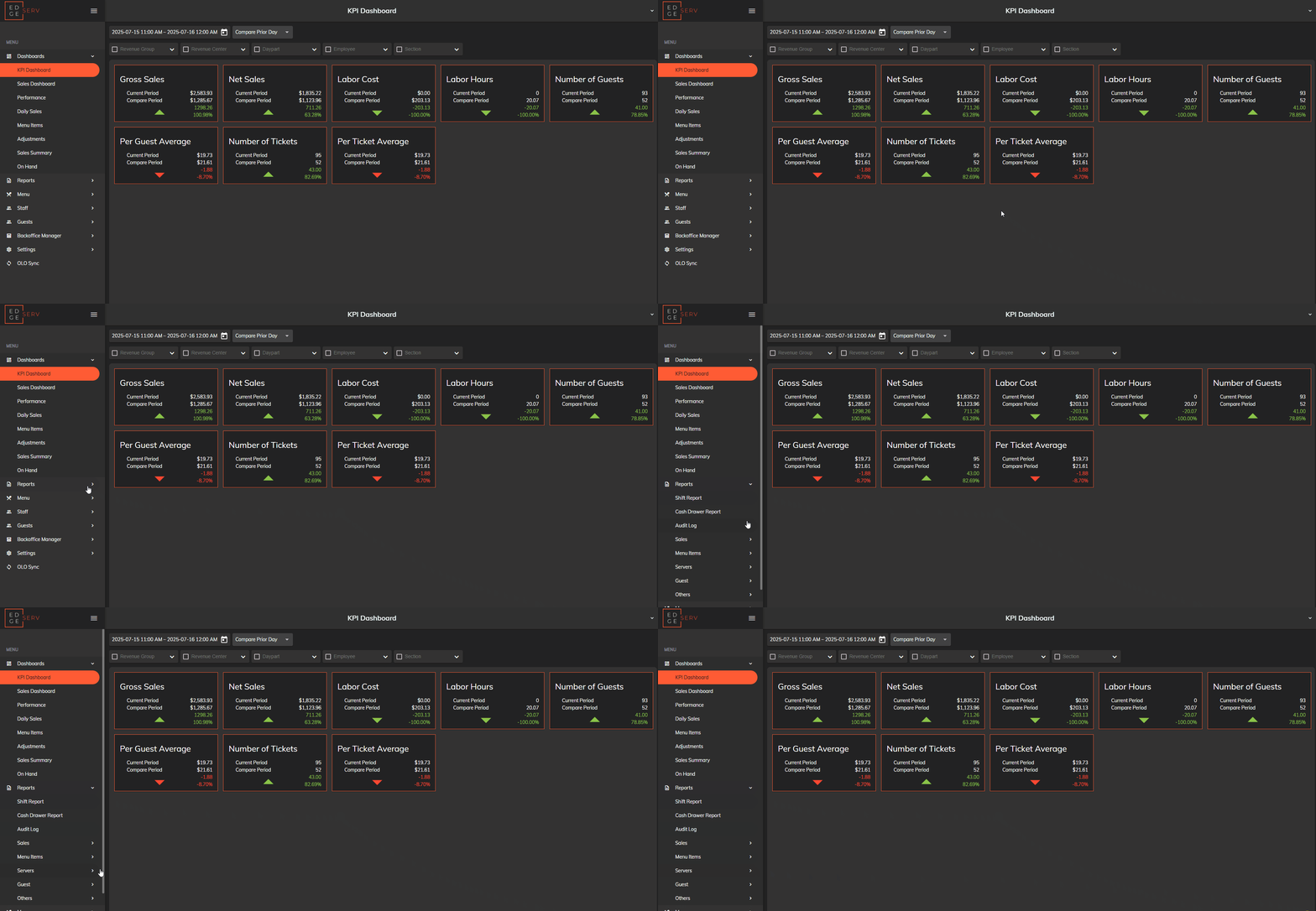
We'll start on the default EdgeServ menu. From here, click 'Reports'.
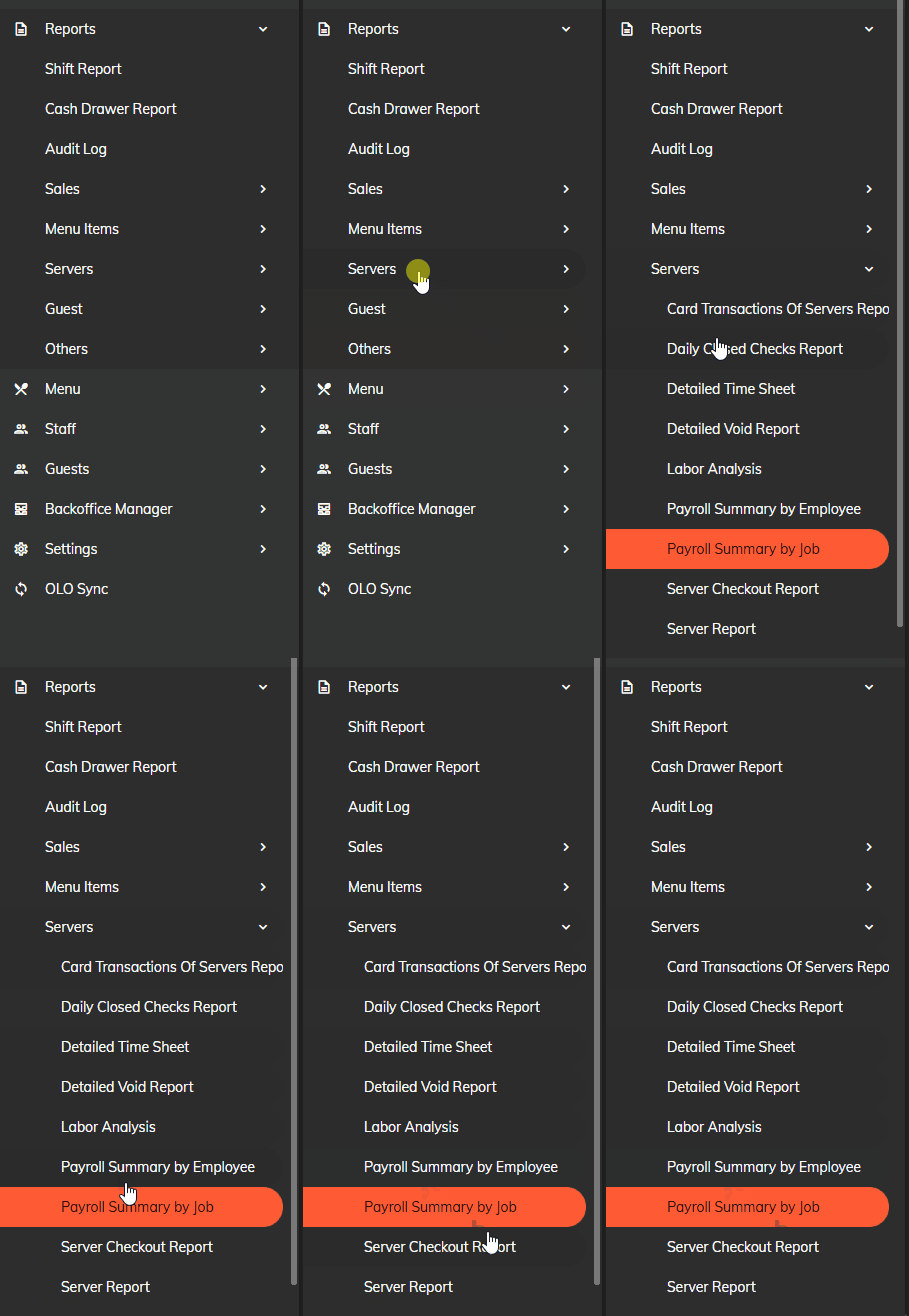
From here, click 'Servers', then click 'Payroll Summary by Job'.
From here, you can input your dates and time, as well as your Server. You can also automate your reports to send to an email. A guide will be written on this later!
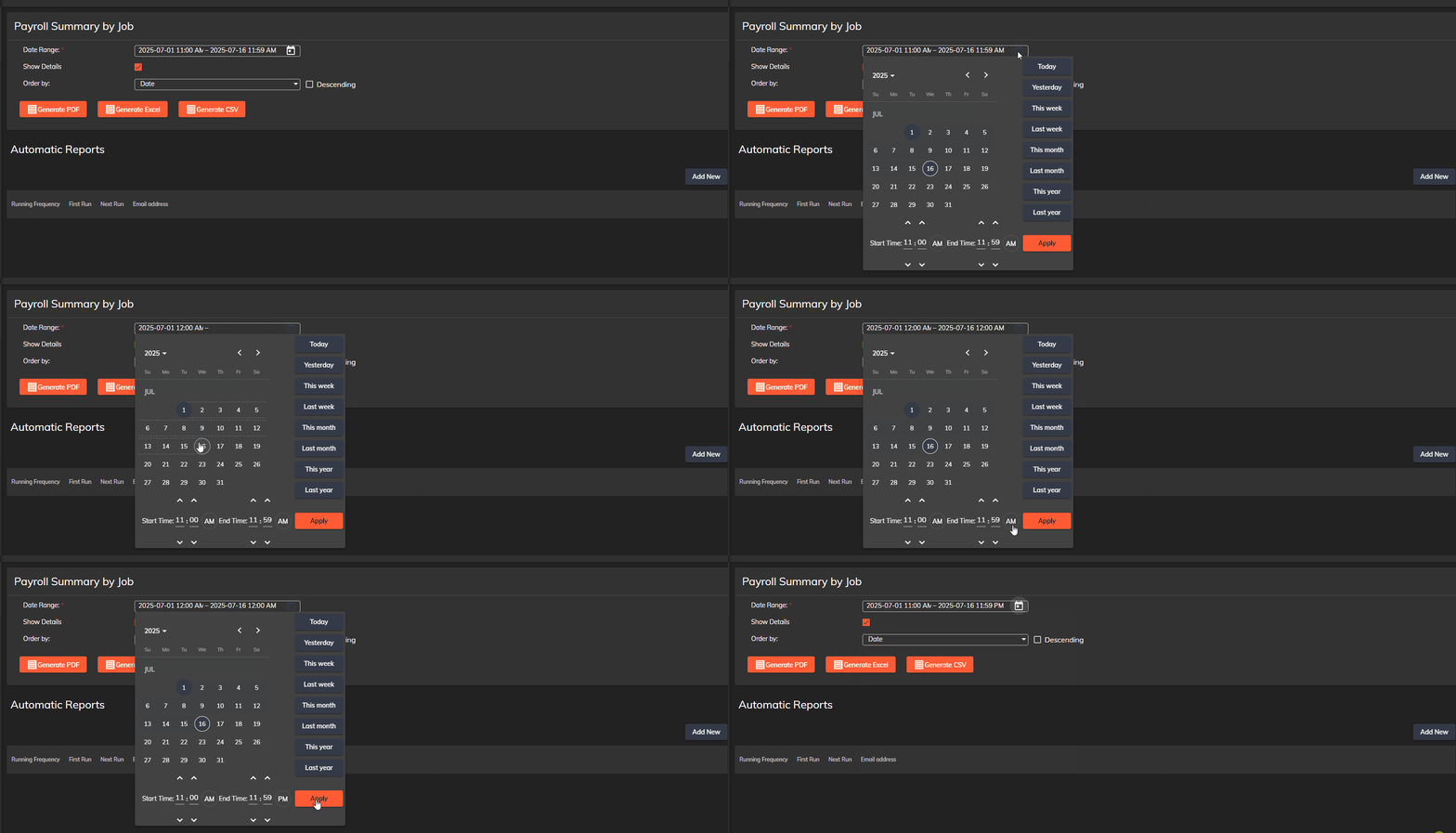
Once your dates are configured, you can generate a PDF, or choose among the other choices.
If you have any questions, don't be afraid to reach out to our support line @ 775-984-5702.
This guide will assume you have been provided your EdgeServPOS Back Office web address has been provided to you by your technician/rep. If it hasn't, please contact our support line @ 775-984-5702.
We'll start on the default EdgeServ menu. From here, click 'Reports'.
From here, click 'Servers', then click 'Payroll Summary by Job'.
From here, you can input your dates and time, as well as your Server. You can also automate your reports to send to an email. A guide will be written on this later!
Once your dates are configured, you can generate a PDF, or choose among the other choices.
If you have any questions, don't be afraid to reach out to our support line @ 775-984-5702.
Related Articles
Adding Employees (EdgeServPOS Back Office)
Adding Employees We'll start on your default Back Office menu. From here, click 'Staff' on the left side of the screen From here, click 'User Editor'. Welcome to the User Editor! Here, you can add employees, change their payrate, and attach them to ...Adding Modifiers (EdgeServPOS Back Office)
Adding Modifiers This guide will assume you have been provided your EdgeServPOS Back Office web address has been provided to you by your technician/rep. If it hasn't, please contact our support line @ 775-984-5702. We'll start on the main menu. Click ...Changing an Items Price (EdgeServPOS Back Office)
Changing an Items Price This guide will assume you have been provided your EdgeServPOS Back Office web address has been provided to you by your technician/rep. If it hasn't, please contact our support line @ 775-984-5702. We'll start on your default ...Adding an Item (EdgeServPOS Back Office)
Adding an Item in EdgeServPOS Back Office This guide will assume you have been provided your EdgeServPOS Back Office web address has been provided to you by your technician/rep. If it hasn't, please contact our support line @ 775-984-5702. We'll ...Adding Modifier Groups (EdgeServPOS Back Office)
Adding Modifier Groups This guide will assume you have been provided your EdgeServPOS Back Office web address has been provided to you by your technician/rep. If it hasn't, please contact our support line @ 775-984-5702. We'll start on the main menu. ...